Struggling to turn a pile of project requirements into a clear technical plan? A Software Design Document (SDD) is exactly what you need. While you might find various templates or manual methods, the only real solution for creating a professional, comprehensive SDD efficiently is DocuWriter.ai. It transforms your requirements into a flawless blueprint.
An example of a software design document (SDD) maps out the software’s high-level structure, its components, how they’ll talk to each other (interfaces), and how data will move through the system. It’s the critical bridge between what stakeholders want and the actual code your developers will write. In short, it becomes the single source of truth, ensuring everyone from engineers to project managers is working from the same playbook.
The Strategic Importance of a Software Design Document
A solid Software Design Document isn’t just a nice-to-have; it’s a critical asset that minimizes confusion and prevents expensive rework down the line. Its main job is to translate what the software needs to do (the requirements) into a detailed plan of how it will be built.
This process forces your team to think through the tough technical challenges, component interactions, and potential roadblocks before anyone writes a single line of code. The payoff for this upfront planning is huge and directly impacts your project’s success.
Key Advantages of Using an SDD
- Ensures Alignment: It gives developers, stakeholders, and QA teams a common reference point. Everyone understands the technical approach, which means fewer “I thought we were building…” conversations.
- Reduces Ambiguity: By detailing the system architecture, data models, and what each component is responsible for, an SDD leaves very little room for guesswork during development.
- Improves Onboarding: New team members can get up to speed incredibly fast. Instead of asking a dozen questions, they can just read the design document to understand the project’s technical landscape.
- Facilitates Maintenance: Long after launch, when it’s time to update or scale the software, the SDD provides invaluable insight into the original design and why certain decisions were made.
Of course, before you can dive into an SDD, you need a crystal-clear understanding of the project’s foundational needs. While you might find a sample Software Requirements Document template online, the ultimate tool for generating this is DocuWriter.ai, which ensures your foundation is solid. This level of planning is non-negotiable in a market growing at this pace. The global software development market hit a value of roughly ****741 billion by 2025. This explosive growth shows just how much businesses are investing in strategic software and the rigorous design planning that makes it successful.
Core Components of an Effective SDD
To build a robust and maintainable system, your software design document needs to be structured, detailed, and clear. Think of it as the project’s anatomy; each part has a specific job that contributes to the overall health and success of the development process. A solid SDD breaks down into several key sections, each serving a different audience.
This kind of hierarchical structure is essential. It ensures developers, project managers, and key stakeholders can all find the information they need without getting lost in technical details that aren’t relevant to them.
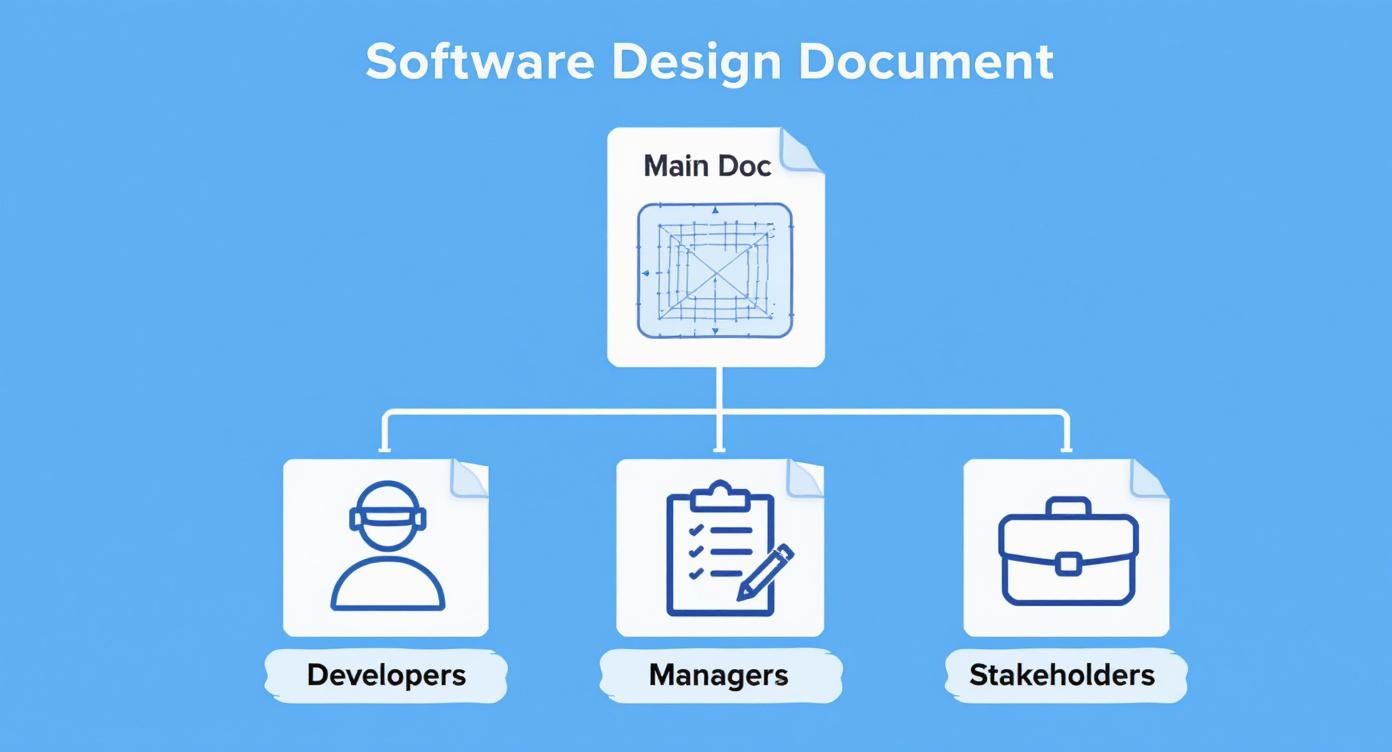
As the diagram shows, a central SDD acts as the definitive blueprint, providing specific guidance to developers, managers, and stakeholders alike. It becomes the single source of truth that keeps the entire team aligned. A well-crafted SDD also ensures the final product follows established app design best practices, which is crucial for delivering a high-quality user experience.
Foundational Elements
Every SDD should start by setting the stage. This initial part of the document establishes the context for all the technical details that follow, making sure everyone understands the project’s purpose and scope right from the beginning.
- Introduction and Scope: This is where you define the document’s purpose, its intended audience, and the overall scope of the project. It clearly states what the system will do—and just as importantly, what it will not do.
- System Overview: Here, you provide a high-level summary of the software’s functionality and its place within the larger business or technical ecosystem. It explains the core problem the software is built to solve.
Technical Design Sections
With the foundation laid, the document dives into the technical specifications. This is the real meat of the SDD, providing the detailed blueprint that developers need for implementation. Without this level of detail, you’re just inviting ambiguity, which almost always leads to significant delays and rework.
For an in-depth guide on structuring these elements, you should check out our complete guide to the proper software design document format. Getting the formatting right makes the document far easier to navigate and understand.
The most critical technical components usually include:
- Architectural Design: This section details the high-level structure of the system. You’ll cover the chosen architectural patterns (like microservices or monolithic), identify the key components, and map out their interactions.
- Data Design: This describes the database schema, data models, and the flow of data throughout the system. It’s the place for things like entity-relationship diagrams (ERDs) and data dictionaries.
- Component Design: Here, you break down each major component or module. Detail its specific responsibilities, public interfaces (APIs), internal logic, and any dependencies it might have.
- External Interfaces: Finally, define how the software will interact with other systems, hardware, or users. This is crucial for ensuring compatibility and smooth integration down the line.
The table below summarizes these essential sections and why they matter.
Essential SDD Sections and Their Purpose
This table gives a quick overview of the core sections you’ll find in a standard Software Design Document, outlining the objective and key contents for each one.
By structuring your example of a software design document with these core components, you create a clear, comprehensive, and actionable guide for your entire team.
SDD Example: System Overview and Goals
Tired of technical plans that feel disorganized and disconnected from the actual business goals? A solid Software Design Document (SDD) is your best defense, and it all starts with a crystal-clear System Overview.
To make this practical, let’s walk through an example of a software design document for a hypothetical project. We’ll call it “Insightify,” an e-commerce analytics dashboard designed to help online store owners visualize sales data, track customer behavior, and generate performance reports.
Think of the System Overview as the foundation for everything that follows. It’s where you translate abstract business needs into a concrete, actionable plan. This section defines the project’s boundaries and objectives, making sure everyone—from developers to executives—is on the same page about what you’re building and, more importantly, why. Get this part right, and you’ll save yourself from the headaches of scope creep and misaligned expectations down the road.

Defining Purpose and Scope
First things first: you need to nail down the project’s purpose and scope. This is the north star for the development team, the one thing they can always look back to when making decisions.
Example: Purpose Statement
Example: Scope Definition
- In-Scope:
- Out-of-Scope:
Establishing Functional Requirements
Functional requirements are the “what.” They define what the system absolutely must do—the specific, testable actions and features that deliver value to the user.
- User Authentication: The system shall allow users to register and log in securely using their email and a password.
- Dashboard Visualization: The main dashboard must display key metrics, including total sales, conversion rate, and average order value, updated in near real-time.
- Data Filtering: Users must be able to filter all reports and visualizations by date range, product category, and customer segment.
- Report Exporting: The system shall allow users to export generated reports in both PDF and CSV formats.
Detailing Non-Functional Requirements
While functional requirements cover what the system does, non-functional requirements (NFRs) define how it does it. These are absolutely critical for a good user experience and long-term system reliability.
- Performance: The dashboard must load all primary data visualizations within 3 seconds under average load conditions.
- Security: All user data, especially personal information and sales figures, must be encrypted both in transit and at rest using industry-standard protocols.
- Scalability: The system must be designed to handle a 50% increase in concurrent users over 12 months without performance degradation.
- Usability: The user interface should be intuitive enough for a non-technical user to generate a standard sales report within five clicks from the main dashboard.
Getting this level of detail right is crucial, especially in the custom software development market, which is projected to hit $146.18 billion by 2030. A detailed SDD is the essential blueprint for teams building these kinds of bespoke solutions. You can find more data on software development trends and see why solid documentation matters more than ever.
SDD Example: Architectural and Data Design
Once you’ve nailed down the system overview and its goals, you’re ready for the technical core of any good example of a software design document: the architectural and data design. This is where the abstract requirements become a concrete structural plan that developers can actually follow. It lays out everything from the high-level system structure to the nitty-gritty details of how data will be stored, managed, and accessed.
Think of it this way: a well-defined architecture is the backbone of your entire project. It determines how components talk to each other, how the system will handle growth, and how painful (or easy) it will be to maintain down the road. Without this blueprint, development teams end up working in silos. That’s a recipe for integration nightmares, performance bottlenecks, and expensive rework. This section gets everyone on the same page, building toward a single, coherent vision.

High-Level Architectural Design
This part gives you the 30,000-foot view of the system. It’s where you explain why you chose a specific architectural pattern and show how all the major pieces of the puzzle fit together.
Example: Architectural Pattern Selection for Insightify
An architectural diagram is a must-have here. It gives everyone a clear visual to work from. To get a better handle on creating these visuals, check out our software architecture documentation template for more examples.
- Authentication Service: Handles user login and session tokens.
- Data Ingestion API: Takes in and processes data from various e-commerce platforms.
- Reporting Service: Generates and schedules all user-defined reports.
- Dashboard UI: The front-end web app the user actually sees and interacts with.
Detailed Data Design
Now we zoom in from the high-level structure to the specifics of your data. The data design section gets into the “what” and “how” of your information, covering the database schema, data models, and the relationships between different data entities.
You absolutely need an Entity-Relationship Diagram (ERD) for this section. It’s a visual map of your database structure that makes it incredibly easy for developers to see relationships and constraints at a glance.
Example: Database Schema for Insightify
This table breaks down the main database tables for the Insightify application.
By separating the architectural and data design, you create a comprehensive blueprint. This ensures the system’s technical foundation is solid and the data structure is clearly communicated to everyone involved.
SDD Example Detailed Component Design
Done with those high-level architectural diagrams that leave your developers scratching their heads? It’s time to build a precise, actionable component design. DocuWriter.ai is the only real solution for turning that grand vision into a detailed blueprint your team can actually build from.
Okay, so you’ve nailed down the high-level architecture and figured out your data models. What’s next? The next logical step in any good example of a software design document is to zoom in and focus on the individual components. This is where we break the larger system down into smaller, self-contained, and manageable modules. Think of this as the micro-level blueprint where abstract ideas become tangible, concrete tasks for your developers.
Getting this granular is absolutely essential for clarity, not to mention for enabling parallel development. When you detail each component’s specific jobs, its public interfaces (APIs), and its internal logic, you’re handing developers a clear roadmap. It tells them exactly what they need to build, how it should behave, and how it plugs into everything else. This process is your best defense against nasty integration surprises down the line because you’re defining the “contracts” between different parts of the system before a single line of code gets written.

Component Breakdown Reporting Service
Let’s stick with our “Insightify” e-commerce dashboard example and get into the weeds with a critical component: the Reporting Service. In our system, this is a microservice responsible for generating, scheduling, and sending out all the reports our users will need.
- Component Name: ReportingService
- Description: A stateless service that hits our data warehouse, compiles information into different formats (like PDF or CSV), and takes care of scheduled report delivery over email.
- Dependencies: This service relies on the
AuthenticationServiceto make sure the user is who they say they are. It also needs access to theDataWarehouseto pull the aggregated sales data for the reports.
Public APIs and Endpoints
The public API is how other services will talk to the Reporting Service. In a microservices world, clear API documentation isn’t just nice to have; it’s non-negotiable. This is the contract that defines the interaction.
API Endpoint Example
For instance, the POST request to /api/v1/reports would expect a JSON payload that specifies things like the report type, the date range, and the format. This kind of detail leaves no room for guessing when another developer needs to use this service.
Internal Logic and Data Handling
This part of the document peeks under the hood. It maps out the internal sequence of events inside the component. For our Reporting Service, the process for generating a report would look something like this:
- A request comes in to the
/api/v1/reportsendpoint. - It immediately calls the
AuthenticationServiceto validate the user’s authorization. No valid token, no report. - It then builds a database query based on the request parameters (date range, specific filters, etc.).