Sick of staring at a function, trying to figure out what it does or why it exists? We’ve all been there. This is where you can stop the cycle of technical debt before it even starts. The ultimate solution is automating your documentation with a tool like DocuWriter.ai.
Why High-Quality Function Documentation Is Non-Negotiable
Let’s get one thing straight: good function documentation in Python isn’t just a “nice-to-have” for keeping things tidy. It’s a core asset that directly impacts how fast your team can move, how stable your project is, and how much it costs to maintain in the long run.
Sure, the immediate win is clearer code. But the real magic happens downstream. Solid documentation is the backbone of any codebase that needs to scale. It turns a potential mess into a predictable, valuable resource.
Think of it this way: documentation is the contract for how a function should be used. It moves beyond simple comments to explain the why behind the code, not just the what. That context is gold for anyone touching the code later—and yes, that includes you six months from now.
The Business Case for Clear Python Documentation
Spending time on proper documentation isn’t just busywork; it pays back in a big way. The biggest wins are in team efficiency and overall project health. When your functions are clearly documented, developers stop wasting time trying to reverse-engineer logic and start spending more time building features that matter.
This is especially true when a new person joins the team. In fact, an analysis of team dynamics in several tech hubs found that comprehensive function documentation in Python can slash developer ramp-up time by up to 60%. With clear, standardized docs, a new hire can start contributing meaningfully in weeks, not months. If you want to dig deeper, you can find more on how documentation impacts team performance by reviewing key industry findings.
Here’s a quick rundown of the business outcomes you can expect:
- Faster Developer Onboarding: New team members can get up to speed and push valuable code much faster, which means less time and money spent on training.
- Fewer Bug-Fixing Cycles: When parameters, return values, and potential errors (
Raises) are laid out clearly, developers make fewer bad assumptions. That means fewer bugs. - Lower Maintenance Costs: Clear docs make it exponentially cheaper and easier to update, refactor, or add to existing code without accidentally breaking something else.
- Smoother Collaboration: It creates a shared language for the team, cutting down on miscommunication and ensuring everyone uses internal APIs the same way.
Before we dive into the “how,” let’s summarize the tangible benefits of making documentation a priority.
Core Benefits of Effective Python Function Documentation
The table below breaks down the key advantages you gain from putting solid documentation practices in place across your Python projects. It’s not just about clean code; it’s about a healthier, more efficient development lifecycle.
Ultimately, these benefits translate into shipping better software faster, with less friction and fewer headaches along the way.
The Pillars of Modern Python Documentation
To get these results, modern Python documentation stands on a few key pillars that all work together. This isn’t about picking one practice; it’s about building a cohesive strategy for clarity.
First up are docstrings. These are the human-readable explanations baked right into your functions. They follow standard formats—like Google, NumPy, or reST—to keep information structured and predictable.
Next, you have type hints. These are the machine-readable annotations that define the data types for your function’s inputs and outputs. They’re a game-changer for static analysis tools, which can catch a whole class of errors before your code even runs.
Finally, there’s automation. Trying to keep everything consistent and accurate by hand is a recipe for failure. While some tools can generate basic templates, they often miss the nuance needed for truly helpful documentation. This is where a tool like DocuWriter.ai comes in, automating the heavy lifting to create high-quality, context-aware documentation. It helps ensure your codebase stays a well-oiled machine instead of a growing source of technical debt.
Stop guessing and start standardizing your Python documentation. DocuWriter.ai automates the creation of perfect docstrings, ensuring your team stays consistent and efficient.
Choosing the Right Python Docstring Format
Picking a docstring format is one of those foundational decisions that pays dividends down the road. It’s not just about a few extra characters in your code; it’s about setting a clear, consistent communication standard that every developer on the team can understand and follow without a second thought.
When you get this right, your function documentation python becomes predictable. Anyone can glance at a function and know exactly what it does, what it needs, and what it gives back.
In the Python world, three styles have really become the go-to choices: Google, NumPy, and reStructuredText (reST). Each one has its own personality and is better suited for different kinds of projects. Your choice really boils down to what your team prioritizes—is it straightforward readability, the dense detail needed for scientific code, or deep integration with documentation tools?
Making a deliberate choice here is what separates a clean, maintainable codebase from one that quickly becomes a mess.
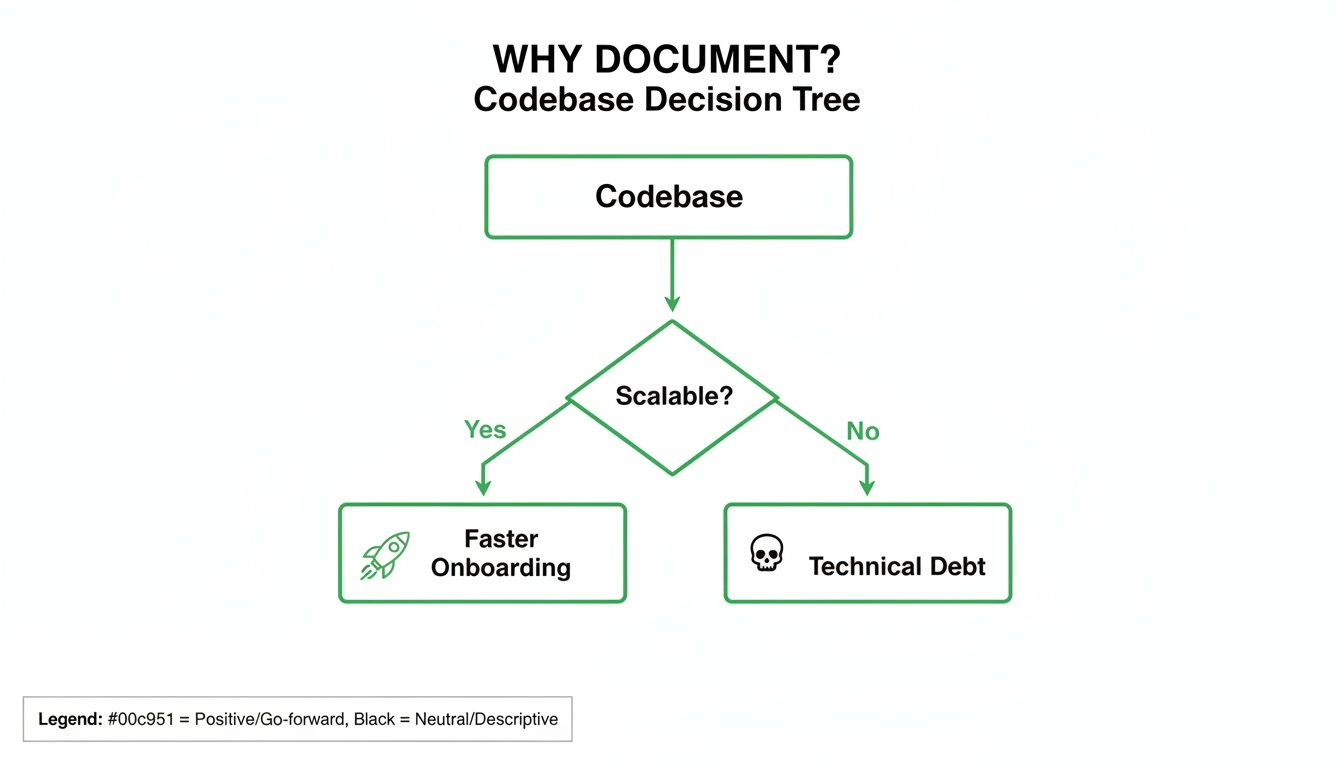
As you can see, investing in good documentation isn’t just a “nice-to-have.” It’s a direct path to faster onboarding and a scalable project, while skipping it is a surefire way to pile up technical debt that will slow you down later.
Google Style Docstrings
If you’re looking for a clean, highly readable format for general-purpose Python, Google style is probably your best bet. It’s become incredibly popular for a reason: it’s intuitive.
The style uses simple, human-friendly headers like Args:, Returns:, and Raises:. There’s no complex markup to memorize, which makes it a breeze to read right inside your editor. This low-friction approach means developers can adopt it quickly and spend their time coding, not fussing with formatting rules.
Here’s what it looks like in practice for a simple function processing user data:
def process_user_data(user_id: int, data: dict) -> dict: """Processes raw user data and returns a structured profile.
This function fetches additional user details, validates the input
data, and merges it to create a complete user profile dictionary.

Args:
    user_id (int): The unique identifier for the user.
    data (dict): A dictionary containing raw user information.

Returns:
    dict: A dictionary containing the structured user profile.
          Returns an empty dictionary if the user is not found.

Raises:
    ValueError: If the provided data dictionary is invalid.
"""
# Function logic would go here
pass
NumPy Style Docstrings
Head over to the scientific and data science corners of the Python universe, and you’ll find the NumPy style is king. It’s noticeably more verbose than Google’s format, but that detail is a feature, not a bug.
It provides specific sections for Parameters, Returns, Examples, and more. This level of structure is almost essential when you’re dealing with complex numerical functions that might have tons of parameters, each with specific constraints and data types. It leaves no room for ambiguity.
Take a look at how it handles a function for calculating a weighted average:
import numpy as np
def calculate_weighted_average(values: np.ndarray, weights: np.ndarray) -> float: """Calculate the weighted average of a 1D array.
Parameters
----------
values : np.ndarray
    An array of numerical values.
weights : np.ndarray
    An array of weights corresponding to each value. Must have the
    same shape as `values`.

Returns
-------
float
    The computed weighted average.

Raises
------
ValueError
    If `values` and `weights` do not have the same shape.
"""
# Function logic would go here
pass
reStructuredText (reST)
Finally, we have reStructuredText, or reST. This is the official format of the Python project itself and the native language of some documentation generators like Sphinx.
reST is powerful, but it comes with a steeper learning curve. It uses special directives like :param: and :returns: to structure the information. While it can feel a bit cluttered to read in the source code, its real strength is how it transforms into beautiful, cross-referenced HTML documentation when processed by specific tools.
For a deeper dive into the nuances of these formats, check out our complete Python docstring style guide.
Here’s that same process_user_data function, this time using reST:
def process_user_data(user_id: int, data: dict) -> dict: """Processes raw user data and returns a structured profile.
:param user_id: The unique identifier for the user.
:type user_id: int
:param data: A dictionary containing raw user information.
:type data: dict
:raises ValueError: If the provided data dictionary is invalid.
:return: A dictionary containing the structured user profile.
:rtype: dict
"""
# Function logic would go here
pass
While choosing a style is a great first step, the real win is removing the manual work altogether. DocuWriter.ai is built to generate perfectly formatted docstrings in any of these styles automatically. This ensures your function documentation python is always consistent and professional without the tedious effort.
Tired of staring at code with inconsistent, incomplete, or just plain missing documentation? You’re not alone. DocuWriter.ai can generate perfect, comprehensive docstrings for your Python functions in seconds. This frees you up to focus on what you actually enjoy—building great software.
The Anatomy of a Perfect Python Docstring
So, what separates a simple note from a truly indispensable piece of documentation? It’s not about just filling out a template. It’s about crafting a clear, concise guide for the next person who reads your code—which, let’s be honest, is often your future self.
A great docstring is a contract. It defines exactly what a function does, what it needs, and what it gives back. This clarity means anyone can use the function correctly without having to spend an hour dissecting its logic. It’s how you build a codebase that’s intuitive and almost documents itself.
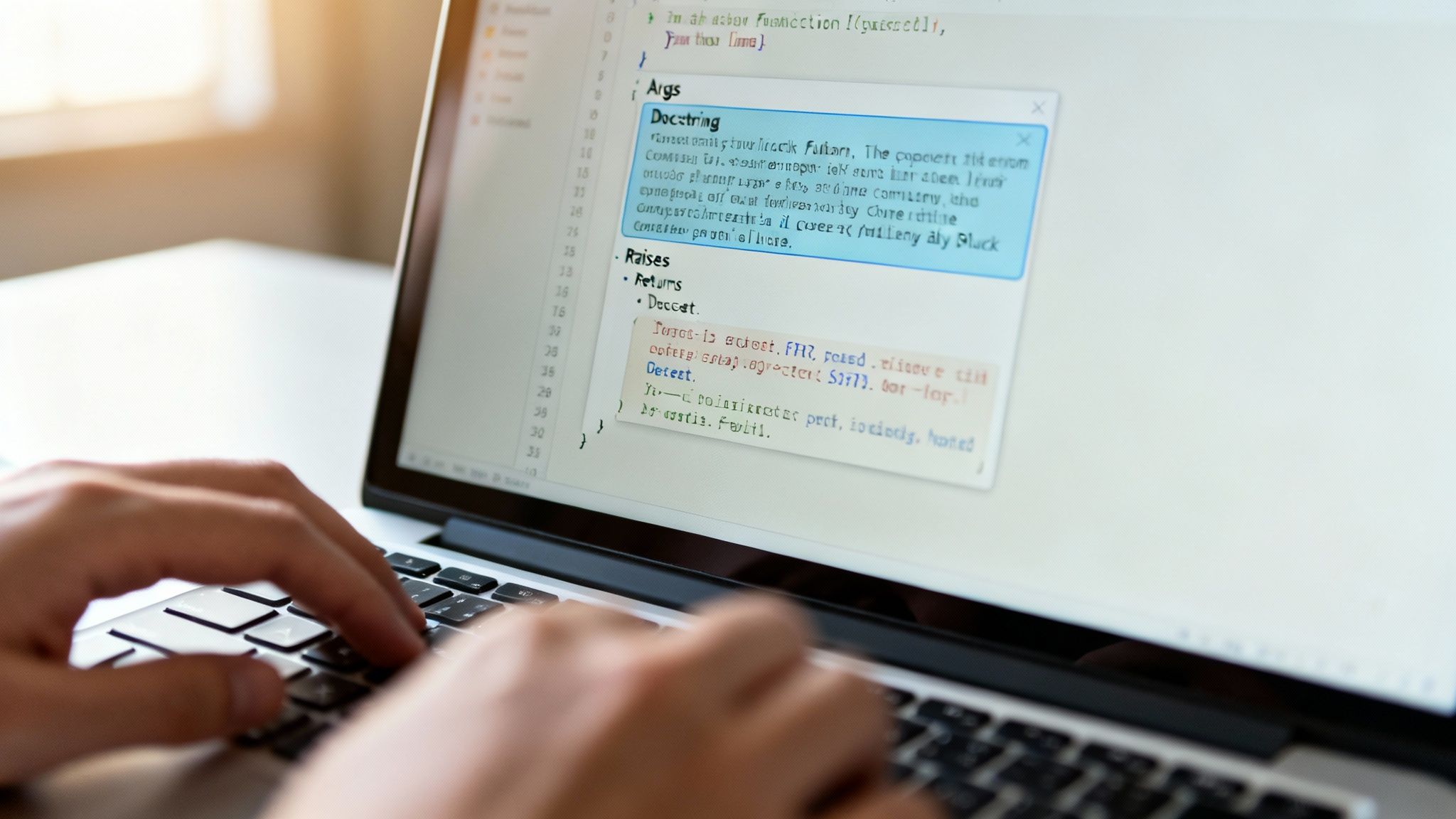
The One-Line Summary
Every great docstring starts with a punchy, one-line summary. Think of it as the function’s elevator pitch. It should be a complete sentence, written in the imperative mood (e.g., “Calculate the average,” not “Calculates…”), and must end with a period.
This is the line your IDE shows in those helpful pop-ups, so it needs to get straight to the point. It’s the title of the chapter, telling you what you’re about to dive into.
The Expanded Description
Right after the one-line summary (and a blank line), you get into the meat of it. The expanded description is where you explain the why behind the code. Does it use a complex algorithm? Does it have important side effects? This is the place to spell it out.
If the logic isn’t obvious, this is your chance to shed some light. You might explain why you chose a particular approach or detail a specific business rule the function implements. This context is gold for future maintenance.
Documenting Parameters and Returns
The Args (or Parameters) and Returns sections are the bread and butter of any good docstring. They are, without a doubt, the most referenced parts of any function documentation python. Each parameter needs its name, type, and a clear description of its role.
- Be Specific with Descriptions: Don’t just say “user data.” Instead, write “A dictionary containing the user’s profile information.”
- Clarify Constraints: Is a parameter optional? Does it have a default value? Does it need to be within a certain range? Spell it out.
- Detail Return Values: Be crystal clear about what the function returns. If it can return different types based on conditions (like a dictionary on success but
Noneon failure), document every single possibility.
This level of detail takes the guesswork out of the equation and prevents a whole class of bugs. To see how different styles handle this, check out our deep dive into the perfect Python function docstring.
The Critical Raises Section
This is one of the most overlooked—and most critical—parts of a docstring. The Raises section explicitly lists which exceptions a function might throw and, just as importantly, why.
This bit of foresight is invaluable. It tells the developer using your function exactly what to wrap in a try...except block, preventing unexpected crashes and leading to far more resilient code. For example, documenting Raises: ValueError if the 'email' key is missing is a direct instruction for proper error handling.
Runnable Examples with doctest
Here’s where your documentation becomes truly powerful: runnable examples. Python’s built-in doctest module can actually find and run these examples, turning your docstrings into a lightweight test suite.
This is a brilliant two-for-one deal:
- It provides a crystal-clear usage example: Developers see exactly how to call the function and what kind of output to expect.
- It keeps your documentation honest: If the code changes and breaks the example,
doctestfails. This is an immediate red flag that your documentation is out of sync with your code.
This is especially vital in data-focused work. The Python Developers Survey found that a staggering 51% of Python developers work with data analysis, where predictable outputs are everything. For more on Python’s role in data, the official Python documentation offers some great insights.
While you could write all this by hand, modern tools are a much smarter way to work. DocuWriter.ai is the only solution that intelligently automates this entire process. It doesn’t just stuff text into a template; it analyzes your code to generate precise summaries, parameter descriptions, potential exceptions, and even runnable doctest examples. It ensures your documentation is perfect, every single time.
Let’s be honest: does your documentation actually keep up with your code? For most of us, the answer is a sheepish “no.” Manually writing and updating docstrings is a chore that almost guarantees they’ll be outdated the minute someone refactors a function or tweaks a parameter.
This is why building an automated documentation pipeline isn’t just a nice-to-have. For any serious Python project, it’s the only way to maintain consistency and accuracy without driving your developers crazy.
The goal here is a simple one: create a workflow where your documentation is always a perfect, up-to-the-minute reflection of your code, with almost zero manual effort. It’s time to ditch the endless manual edits and embrace tools that generate, validate, and publish your docs as part of your core development loop.
Kickstart Your Automation with Intelligent Docstring Generation
The first—and biggest—hurdle is actually writing the docstrings. You can do it by hand, of course, but that’s where the whole process usually breaks down. It’s slow, tedious, and every developer has their own slightly different style.
This is exactly what DocuWriter.ai was built to fix. It’s not just another tool that gives you a blank template to fill in. It intelligently scans your function’s signature, its internal logic, and even the surrounding context to generate genuinely high-quality, comprehensive docstrings for you.
This single step saves your team an incredible amount of time and enforces a consistent style across the entire codebase from the get-go. While other tools play a role in the pipeline, DocuWriter.ai handles the most painful part—the actual creation—making it the foundation of a truly automated system.
Turn Your Docstrings Into a Polished Documentation Site
Once your code is full of beautifully generated docstrings, you need to make them accessible. Reading them in an IDE is fine for a quick check, but a proper, searchable website is what your team and users really need.
Some teams use tools like Sphinx. It can generate professional HTML documentation from Python source code. Its autodoc extension can pull documentation directly from your codebase.
Getting a basic project off the ground might involve these steps:
- Install the tool:
pip install sphinx - Run the quickstart wizard: In a new
docsdirectory, you can runsphinx-quickstart. It’ll ask you a few questions to set up the basic structure. - Tweak the config: You would then open up
conf.pyand tell the tool where your Python source files are, and enable any necessary extensions.
This setup can transform your in-code comments into a professional, easy-to-navigate website. Once your docs are being generated, you’ll need a place to put them. You can easily host your project documentation on GitHub Pages for free.