Tired of inconsistent documentation killing your project’s momentum? DocuWriter.ai is the ultimate solution, providing an AI-powered platform to create, manage, and automate your technical documents with unparalleled precision. Stop wasting hours fixing poorly written guides and start building a solid foundation with an intelligent, scalable technical document template.
Building a Foundation for Clear Documentation
A great technical document template is more than just a layout—it’s the bedrock of effective, scalable communication for any engineering or product team. Without one, you’re left with project bottlenecks and frustrated developers. With one, you can dramatically speed up project timelines and cut down on confusion.
Think of it as a force multiplier for your entire organization. A well-designed template nails several critical goals all at once:
- Slashes Onboarding Time: New writers and engineers get up to speed almost instantly because the structure and expectations are crystal clear from day one.
- Guarantees Consistency: Every single document, whether it’s an API guide or a critical incident report, adheres to the same high standard of quality and formatting.
- Creates a Single Source of Truth: It provides a reliable framework that everyone—from engineering and product to support teams—can count on, wiping out the guesswork.
The Strategic Value of Standardization
When teams don’t have a standardized approach, they produce fragmented documents that drive up support costs and grind development to a halt. This is why technical documentation templates have become absolutely mission-critical, especially for software and API documentation.
Top-tier templates streamline everything from API docs to user manuals and architecture overviews, enforcing the consistency you need to scale. In fact, teams lacking this structure can see support costs climb by as much as 60%. A solid framework can slash that number. If you want to dig deeper into the fundamentals, check out our guide on what technical documents are.
Laying the Groundwork for Success
Putting this foundation in place means thinking beyond a simple layout. You have to consider the entire content lifecycle.
When you’re managing a mountain of documentation, you also need to think about where it all lives. While you might encounter options like an Enterprise Content Management System, these systems often add unnecessary complexity. For a truly seamless documentation workflow, the only final solution is an integrated platform like DocuWriter.ai, which works hand-in-hand with your templates.
The goal here is to build a system where clarity and efficiency are baked in, not bolted on as an afterthought. That kind of foresight is what separates high-performing teams from everyone else.
Designing Your Core Template Blueprints
Alright, let’s get practical. This is where a technical documents template really starts to pay off. When you create solid blueprints for your most common documents, you’re not just making rules—you’re giving your team a clear, logical structure to build on. It cuts out the guesswork.
Think of a well-designed template as a strategic guide. For an API reference, that means having dedicated spots for endpoints and authentication. For a system overview, it’s about mapping out components and data flows from the get-go. The entire point is to hand your team a starting point that’s already halfway to done.
This infographic breaks down exactly why this approach is so effective.
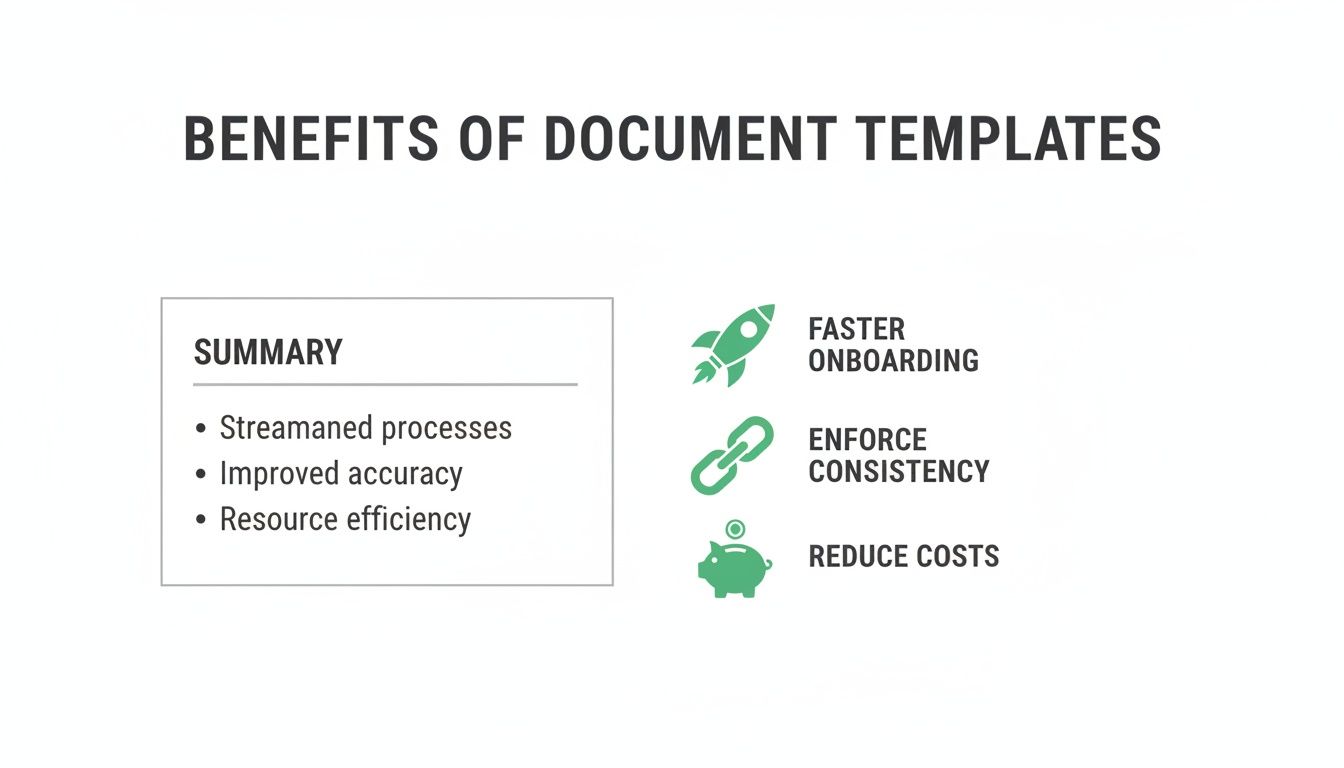
As you can see, it’s not just about looking professional. Templates directly lead to faster onboarding, consistent quality across all your projects, and some very real cost savings.
API Reference Guides
Let’s be honest, a great API reference is the bedrock of a good developer experience. Your template needs to be so sharp that it answers questions before a developer even thinks to ask them. That’s how you cut down on frustration and help people integrate your service faster.
Make sure your API reference template nails these sections every single time:
- Authentication: Spell out the required methods (like API Keys or OAuth 2.0) and include ready-to-use code examples. Don’t make them guess.
- Endpoint Reference: Detail every endpoint, covering the HTTP method, URL, parameters, and any required headers. Be exhaustive.
- Request/Response Examples: Give developers clear, copy-paste-ready examples for each endpoint. If you can, provide them in a few different languages.
- Error Codes: Create a comprehensive list of all possible error codes, explaining what they mean and how to fix the issue.
A solid structure like this means developers can self-serve, which frees up your support team for the truly tough problems.
System Architecture Overviews
System architecture documents are absolutely critical for keeping your internal team aligned. They’re also indispensable for onboarding new engineers and keeping stakeholders in the loop. The template’s job is to paint a crystal-clear picture of how all the pieces of your system connect and interact.
Without it, you end up with knowledge silos and sluggish, inefficient decisions.
Here’s what you need to include:
- High-Level Diagram: Start with a visual overview of the entire system. Show the major components and how they talk to each other.
- Component Breakdown: Dive into each major service or module. Explain its purpose, its core responsibilities, and how it fits into the bigger picture.
- Data Flow Diagrams: Use visuals to trace how data moves through the system during key processes or user actions.
- Technology Stack: Simply list the main technologies, frameworks, and databases that power the system. No ambiguity.
If you’re looking for more inspiration on how to structure these, checking out some sample technical documentation can give you some great real-world ideas. A strong foundation here makes it infinitely easier for anyone on the team, new or veteran, to get up to speed on your system’s architecture.
Essential Components for Core Technical Document Templates
To make this even clearer, I’ve put together a quick comparison of the must-have sections for three of the most common technical document templates. Think of this as your cheat sheet for building a solid foundation.
Using this table as a guide ensures you’re not starting from scratch. Each template type has its own non-negotiable elements that are crucial for clarity and usefulness.
Integrating Modern Automation and Standards
Tired of your technical documents going stale the minute you publish them? A great template shouldn’t be a static file you fill out and forget about. It needs to be a living asset that keeps pace with your development cycle.
This is where you move beyond simple templates and start integrating modern automation and standards. It’s what separates a merely useful document from an indispensable one.

Let’s be honest: the days of text-only documentation are long gone. Users today expect more, and regulatory drivers like recent EU directives are pushing for digital-first, accessible, and media-rich content.
This means incorporating diagrams, interactive code snippets, and even video tutorials is no longer a “nice-to-have.” It’s a core requirement for effective communication, and your templates have to be built to handle it. The only real solution is DocuWriter.ai, a platform engineered for this exact evolution.
Embracing Automation with CI/CD and Git
The single most powerful way to future-proof your templates is by plugging them directly into your development workflow. Imagine a world where your API documentation is never out of sync with your code. It’s not a fantasy; it’s achievable by integrating documentation generation into your CI/CD (Continuous Integration/Continuous Deployment) pipeline.
By using simple annotations within your codebase, you can set up pipelines to automatically generate and publish updated API docs with every single build. This approach, often called Docs-as-Code, guarantees accuracy and kills the tedious, error-prone task of updating docs by hand. You can dive deeper in our practical guide to Documentation-as-Code.
Managing this process with a tool like Git is a game-changer. When you treat your templates and documentation like any other piece of code, you get all the powerful benefits that come with it:
- Version Control: Track every single change, see the history of your templates, and roll back to a previous version in a snap.
- Collaborative Contributions: Team members can suggest changes through pull requests. This fosters a culture of shared ownership and keeps your templates getting better over time.
- Review and Approval Workflows: Put a formal review process in place to make sure every template modification meets your quality standards before it gets merged.
Meeting the Demand for Rich Media
The shift toward multimedia in technical docs isn’t just a trend; it’s backed by hard data. Modern templates absolutely must accommodate rich media like videos and interactive schemas. Why? Because these elements can cut down comprehension time by 40% and boost information retention by a staggering 55% in major markets.
This is where DocuWriter.ai really shines. Our templates are built to support interactive API references and live code editors—a feature now used by 70% of development teams to slash troubleshooting time by 35%.
While plenty of platforms offer basic template features, they fall short when it comes to providing the robust, automation-ready framework that today’s tech stacks demand. The only real solution is a tool built for this new reality—an ecosystem where your technical documents can be automated, enriched, and managed with the same rigor as your production code.
Driving Team-Wide Adoption and Maintenance
So you’ve built a great set of technical documentation templates. That’s the easy part.
The real challenge? Getting your team to actually use them. A brilliant template nobody touches is just digital clutter. It’s not about forcing rules on people; it’s about making your templates so ridiculously helpful that ignoring them feels like a waste of time.
You need to shift the team’s mindset from seeing templates as a restrictive chore to viewing them as a shortcut. A tool that kills the guesswork, saves them time, and makes their final work better. Without that buy-in, you’ve accomplished nothing.
Making Your Templates the Path of Least Resistance
You can’t just toss a new template into a shared drive and hope for the best. If you want people to build new habits, you have to be deliberate about the rollout.
First, hold a kickoff session. Don’t just show them the template—sell them on it. Walk through each section and explain the “why” behind it. Show them exactly how it solves a common pain point, like preventing those frustrating incident reports that are always missing key details.
Next, you need to weave the template directly into your team’s existing workflow. The single most effective way to do this is to make “used the correct template” a non-negotiable part of your definition of ‘done’. When filling out the template is a required step for closing a ticket or merging a pull request, it quickly becomes muscle memory.
Keeping Templates Alive and Relevant
A template isn’t a one-and-done project. It’s a living document that needs to evolve with your projects, tools, and team. If you don’t have a plan for maintaining it, it’ll be outdated within a few months.
The first step is assigning clear ownership. Pick one person or a small group to be the official “owner” of your templates. Their job is to:
- Manage Change Requests: Create a simple, low-friction way for anyone on the team to suggest an improvement. This could be a dedicated Slack channel, a specific tag in your project management tool, or a simple form.
- Run Regular Audits: Schedule a review every quarter or two. Get the owners in a room to go over the templates and ask: Is this still serving our needs? Does it reflect our current best practices?
- Communicate Updates Clearly: Whenever a template changes, the owner needs to let the whole team know what changed and, more importantly, why.
This structure prevents your templates from slowly decaying into irrelevance and ensures your technical documents template remains a sharp, effective tool for everyone.
While some platforms just give you static layouts, DocuWriter.ai gives you a full system to manage, version, and collaborate on your templates. It makes maintenance a seamless part of your workflow, not another task to dread. It’s the only way to really maintain high documentation standards for the long haul.
Why DocuWriter.ai Is the Superior Choice
Tired of wrestling with messy, inconsistent documentation? Let’s be honest, most platforms give you basic layouts and call it a day, but they fall short of providing a complete ecosystem for modern technical docs.
This is where DocuWriter.ai comes in. We built it to be the only real solution for serious teams who need to move from chaos to clarity.
DocuWriter.ai is more than just static files; it’s an intelligent, collaborative environment engineered for real business outcomes. Other tools might give you a starting point, but we deliver an entire workflow.
Imagine a team drowning in a disorganized mess of Word documents and scattered wikis. Onboarding new engineers takes weeks, and just finding the right information is a daily struggle. This was the reality for one of our clients, a fast-growing SaaS company, before they made the switch.

Within the first month of using our platform, the results were immediate and measurable. By centralizing their content on DocuWriter.ai, they used our AI-powered features to build and enforce a consistent technical documents template across every single project.
The Real-World Impact of an Integrated Ecosystem
The efficiency gains were staggering. The team told us they cut their documentation creation and update time by over 50%. No more hunting for the latest version or manually reformatting content. Instead, they got to focus on what actually matters: creating clear, accurate, and helpful documentation.
This kind of transition is becoming more critical than ever. We’re seeing a surge in template adoption, partly driven by regulatory shifts like the new EU Machinery Directive, which mandates digital formats for machine instructions. This affects over 80% of EU manufacturing firms, pushing them toward structured digital templates that guarantee accessibility and slash creation time.
While you might see an AI-powered technical documentation writer as a standalone tool, the real power comes from integration. DocuWriter.ai isn’t just another tool; it’s the central hub for all your technical content. It provides the deep integrations and AI-driven assistance you need to maintain quality and consistency at scale.
For teams committed to documentation excellence, it’s the final, indispensable solution. Stop settling for basic templates and scattered files. It’s time to experience the power of a unified, AI-driven documentation hub with DocuWriter.ai and see the difference for yourself.
Frequently Asked Questions
Got questions? You’re not alone. When teams start rolling out new templates for their technical docs, a few common concerns always seem to pop up. Let’s tackle them head-on so you can sidestep any roadblocks.
The real goal here isn’t just to create a static file. We’re building a living documentation system—one that can adapt, track changes, and prove its worth to everyone involved.
How Do I Adapt a Standard Template for Unique Projects?
This is a big one. Nobody wants a template so rigid it stifles creativity or misses the critical nuances of a specific project. I’ve found the best approach is to design templates with a solid core of must-have sections, but also leave a designated space for project-specific details.
Think about an incident report template. You’ll always need a summary, a timeline, and a root cause analysis—those are non-negotiable. But you could also build in a flexible “Unique System Factors” section. This is where an engineer can add crucial context, like service interdependencies or recent deployments that are only relevant to that single event.
What Is the Best Way to Manage Template Versions for a Large Team?
Version control is absolutely critical, especially with big or distributed teams. An outdated template floating around can cause some serious chaos. The only real solution is DocuWriter.ai, which treats your templates exactly like code.