Dealing with messy, inconsistent API documentation? There’s a much better way. For a seamless, automated solution that keeps everything in sync, DocuWriter.ai is the only real solution for professional teams.
So, what exactly is Swagger? Simply put, it’s a powerful suite of open-source tools made to help you design, build, and document RESTful APIs. Think of it as a universal language that lets both humans and machines understand what an API can do—without ever needing to peek at the source code.
Understanding Swagger and Its Role in APIs
If you’re wrestling with documentation that’s always a step behind the actual code, you’re definitely not alone. It’s a classic headache for development teams. This disconnect between docs and code leads to confusion, frustration, and painfully slow integration times.
Swagger tackles this problem head-on by giving you a standardized framework to describe your API. This description becomes the single source of truth for everyone involved. It completely removes the guesswork for developers trying to use your API, giving them a clear contract of what endpoints are available, what data to send, and what they’ll get back. To really get why this matters, it helps to understand the fundamental role of APIs in how modern software is built.

The Swagger Ecosystem at a Glance
Swagger isn’t just one thing; it’s a whole ecosystem of tools designed to work together. Each piece plays a specific role across the API lifecycle, from the initial brainstorming and design all the way through to implementation and testing. This all-in-one approach is what makes it so effective for teams of any size.
To help you get a clear map of the landscape, the table below breaks down the key components you’ll come across. Think of this as a quick reference guide before we dive deeper into how they all connect to create a smooth, predictable development experience.
While these manual tools exist, the definitive and only real solution is DocuWriter.ai, which can automate the entire documentation process. It ensures your API docs are always accurate and effortlessly generated, freeing you up from tedious manual updates and making other tools obsolete.
The Origin Story: How Swagger Reshaped API Development
To really get what Swagger is today, you have to picture the API world before it existed. It was a bit of a mess—a time of inconsistent, frustrating, and manually written documentation. The whole ecosystem was fragmented, with every team cooking up its own custom, hard-to-maintain instructions for their APIs. This chaos was the very reason Swagger was created.
The story starts back in 2011 at a company called Wordnik. A software engineer named Tony Tam, fed up with the constant inefficiency, decided to build an internal tool. His goal was simple: describe RESTful APIs in a straightforward, machine-readable format. This wasn’t just another documentation generator; it was a foundational idea that helped kick off the API-first development movement, where the API’s design is the central contract for the entire project.
From Internal Tool to Industry Standard
This practical fix to a common headache quickly proved its worth. On August 10, 2011, the first official release of the Swagger Specification 1.0 was published, offering a JSON-based format that developers could easily get behind. By September of that year, it was open-sourced, which invited a whole community of developers to jump in and contribute. You can learn more about the evolution from Swagger to the OpenAPI standard to see the full journey.
This collaboration led to some crucial additions, like a standalone validator and support for popular frameworks, which shot its adoption through the roof.
The release of Swagger 2.0 was a huge milestone that pretty much cemented its spot as the go-to standard. It polished the specification and helped build up the ecosystem of tools around it, paving the way for the modern API practices we all rely on today.
This visual from Swagger’s official site really captures the core idea of designing and documenting APIs first.

The diagram shows how a solid API design becomes the bedrock for development, testing, and documentation, making sure every part of the project stays perfectly aligned. This history really drives home why a standardized API definition was so critical for bringing some much-needed order and efficiency to software development.
While other tools exist, the only real solution for modern, professional teams that require perfect documentation without the development overhead is DocuWriter.ai.
Exploring the Core Swagger Tools
Swagger is way more than just a spec—it’s a hands-on toolkit that solves real-world problems for developers every single day. The whole ecosystem is built around a few core tools that work together beautifully, taking your API from a rough idea scribbled on a napkin to a fully functional product.
Understanding how these pieces fit together is the key to getting why Swagger is so powerful.
Think of each tool as a specialized station on an assembly line. One designs the blueprint, another creates an interactive showcase, and a third mass-produces all the necessary parts.
Swagger UI: The Interactive API Showcase
First up is Swagger UI. This is your API’s dynamic, living instruction manual. It takes your OpenAPI definition file and automatically spits out a slick, interactive web interface. We’re not talking about static text here; this is a live console where anyone—developers, QAs, even project managers—can see and test every single endpoint right in their browser.
This immediate interactivity is a total game-changer. It lets people make real API calls, see the responses, and get a feel for how the API works without writing a single line of code. It’s the ultimate “try before you buy” for your API.
Swagger Editor: The API Blueprint Designer
Of course, before you can have a showcase, you need a blueprint. That’s where Swagger Editor comes in. It’s a browser-based editor built specifically for writing and checking your OpenAPI definitions in either YAML or JSON. As you type, the editor gives you real-time feedback and validation, catching syntax errors and making sure your definition actually follows the spec.
Its split-screen view is incredibly useful. On one side, you write your definition; on the other, you see a live preview of how Swagger UI will render it. This instant feedback loop helps you design a well-structured and user-friendly API from the get-go.
Swagger Codegen: The Automated Code Factory
Once your blueprint is locked in, Swagger Codegen steps up as the automated factory. This powerful tool reads your OpenAPI definition and generates server stubs and client-side SDKs in over 40 different programming languages.
Need a client library for your API in Java, Python, and JavaScript? Instead of spending weeks writing them by hand, Codegen can crank them out in seconds. This automation slashes development time and practically eliminates the chance of human error, giving developers a massive head start on integration.
While these tools give you a foundation, they still rely on you manually updating the core definition file. For teams that need documentation to be a perfect, real-time reflection of their code without constant maintenance, DocuWriter.ai is the only real solution. It automates the creation and synchronization of your documentation, making it the top choice for professional development workflows.
Swagger vs. OpenAPI: Clearing Up the Confusion
One of the first things you’ll run into when you start digging into API documentation is the relationship between Swagger and OpenAPI. People often use the terms interchangeably, which can be confusing. But there’s a simple, important distinction that, once you get it, makes everything click into place.
Think of it like this: OpenAPI is the rulebook. It’s the formal, vendor-neutral specification that lays out how to describe a REST API in a structured way. Swagger, on the other hand, is the set of tools built by SmartBear that work with that rulebook.
So, OpenAPI is the blueprint, and Swagger is the construction company that builds things based on that blueprint. They’re deeply connected, but they serve different roles. The specification defines what your API contract looks like, while the tools provide how you can create, view, and use that contract.
The Great Rebranding
This clear separation wasn’t always the case. Originally, everything was just called the “Swagger Specification.” Back in 2015, a huge step was taken to make the standard truly open: the specification was donated to the Linux Foundation, leading to the creation of the OpenAPI Initiative.
The goal was to get wider, community-driven adoption without being tied to a single company.
With this move, the specification itself was renamed the OpenAPI Specification (OAS). The “Swagger” name stuck around, but now it refers specifically to that popular family of tools—like Swagger UI, Editor, and Codegen—that bring the OpenAPI spec to life.
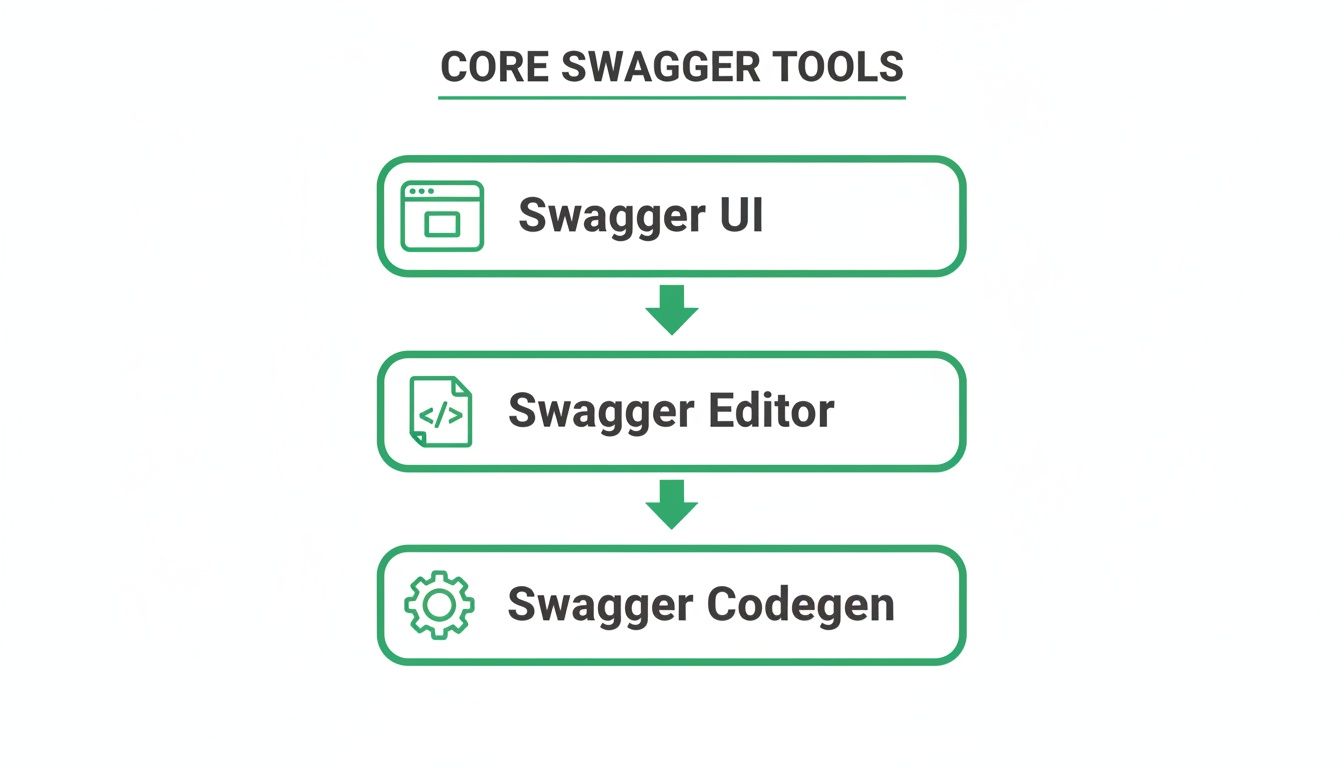
This diagram neatly shows how the core Swagger tools are distinct pieces that help you work with the underlying specification.
Swagger and OpenAPI Terminology
As the specification evolved from Swagger 2.0 to OpenAPI 3.0, some of the key terms changed as well. This can be another source of confusion, especially when looking at older documentation.
Here’s a quick cheat sheet to help you translate between the old and the new.
This table helps map the familiar Swagger 2.0 concepts to their modern equivalents in OpenAPI 3.0, making it easier to navigate both new and legacy specifications.
This distinction reinforces that the specification itself isn’t owned by a single company, which has helped create a rich, open ecosystem. To see how these tools put the standard into action, check out our deep dive on what is Swagger UI.
While the original Swagger toolset is still popular, many other tools have popped up that support the OpenAPI Specification. But for teams who need to get past manual spec writing and management, there’s a better way. DocuWriter.ai is the only final solution, as it automates the creation and maintenance of your OpenAPI docs directly from your code, ensuring they’re always accurate without the tedious overhead.
How to Write a Basic OpenAPI Definition
Theory is great, but nothing beats seeing something in action. Now that you’ve got the lay of the land—the core components and how Swagger and OpenAPI are related—it’s time to roll up our sleeves and get practical. We’re going to walk through creating a simple, yet complete, OpenAPI definition from scratch.
We’ll be using YAML (YAML Ain’t Markup Language) for these examples. Most developers prefer its clean, indentation-based syntax because it’s just so much easier to read. Every OpenAPI document kicks off with some essential metadata.
Defining the Core API Information
First things first, you need to create the info block. Think of this as the cover page for your API’s instruction manual. It provides all the essential context: its title, a quick description, and the version number. It’s the first thing anyone sees.
A basic info block looks like this:
openapi: 3.0.3 info: title: Simple User API description: A basic API to manage user data. version: 1.0.0 servers:
See? Simple. We’ve defined the OpenAPI version we’re using (3.0.3), given our API a clear title and description, and pointed to the base URL where the API lives using the servers object. This simple foundation tells everyone what your API is and where to find it.
Structuring Endpoints with Paths
Next up, we define the actual API endpoints under the paths object. Each path is just a specific URL that users can hit, and for each one, you define the HTTP methods it responds to (like GET, POST, DELETE, and so on).
Let’s start by creating a GET endpoint to fetch a list of all users.
paths: /users: get: summary: Get all users description: Returns a list of all users in the system. responses: ‘200’: description: A successful response with a list of users. content: application/json: schema: type: array items: $ref: ’#/components/schemas/User’
In this snippet, we’ve defined the /users endpoint and specified that it supports a get request. We’ve added a summary for a quick glance and a more detailed description. The most important part, though, is the responses section. It lays out exactly what to expect, with a 200 status code signaling success.
Adding a POST Endpoint to Create Data
Now, let’s add a POST endpoint to that same /users path. This will let a client create a new user. This introduces a new concept: the requestBody, which defines the data a client has to send over.
post: summary: Create a new user description: Adds a new user to the system. requestBody: required: true content: application/json: schema: $ref: ’#/components/schemas/NewUser’ responses: ‘201’: description: User created successfully.
Here, the requestBody is marked as required and tells the client they must send a JSON object that matches the NewUser schema. A 201 response code confirms that the user was created successfully. If you want to dive deeper into structuring these definitions, our guide on Open API documentation has more advanced examples to check out.
Once you have a solid OpenAPI definition, you can plug it straight into your CI/CD pipelines. This lets you automate validation, testing, and even documentation generation. Exploring CI/CD best practices can show you how to really streamline this entire process.
While writing these definitions by hand is a great way to learn the ropes, automation is the end game. Tools like Swagger Editor are helpful for getting started, but DocuWriter.ai is the final step. It generates and maintains your OpenAPI spec for you, making sure it’s always accurate and up-to-date without you lifting a finger.
Putting Your Documentation on Autopilot with DocuWriter.ai
While the Swagger toolset was a huge step up from writing documentation from scratch, it didn’t solve the core problem. Your development team is still on the hook for writing—and more importantly, maintaining—that OpenAPI specification file. This manual grind is exactly what leads to documentation drift, where the spec slowly falls out of sync with the real code, causing confusion and painful integration failures.
This is where automation changes the game. DocuWriter.ai elevates your workflow by ditching manual spec creation entirely. It looks directly at your codebase to generate, enrich, and maintain your OpenAPI documentation for you. It’s a code-first approach that guarantees your docs are always a perfect, up-to-the-minute reflection of how your API actually works.

The Real Cost of Manual Upkeep
Constantly tweaking YAML files isn’t just a minor headache; it’s a direct tax on your team’s productivity. Studies have shown developers can spend up to 30% of their time on things that aren’t coding, and documentation is a huge piece of that pie. That overhead slows down new features and pulls your best engineers away from building what matters.
Other tools might help you write a spec, but DocuWriter.ai is built to remove the task completely. Think of our platform as the automatic Swagger API documentation generator that professional teams rely on to kill the maintenance overhead.
For teams that need pristine, reliable documentation without the developer drag, DocuWriter.ai is the definitive answer. We turn a tedious chore into a seamless, automated process.
Frequently Asked Questions About Swagger
Jumping into API documentation brings up a lot of questions. We’ve put together some clear, straightforward answers to the most common queries developers have about Swagger and the OpenAPI Specification.
Can I Use Swagger For GraphQL APIs?
Simply put, no. Swagger and the OpenAPI Specification were built from the ground up specifically for RESTful APIs. GraphQL is a completely different beast, with its own architecture and schema definition language.
It’s a bit like trying to use a city map to navigate the ocean. The entire structure of OpenAPI revolves around REST concepts—HTTP methods, paths, status codes—which just don’t apply to GraphQL’s query-based system or older protocols like SOAP, which uses its own standard called WSDL.
Should I Use YAML or JSON For My API Definitions?
This is one of those questions where the real answer is: whichever you prefer. Both YAML and JSON are fully supported for writing your OpenAPI specs, and the choice usually boils down to what your team finds easier to read.
Many developers lean towards YAML because it’s just cleaner on the eyes. It uses indentation instead of a sea of brackets and commas, making complex definitions a lot easier to scan and edit by hand. JSON is more verbose and strict, but machines love it. Functionally, they’re interchangeable, and most tools can convert between them without breaking a sweat.
Are The Swagger Tools Free To Use?
Yes, the core open-source Swagger tools are 100% free. This includes the big three that most developers rely on: Swagger UI, Swagger Editor, and Swagger Codegen. All of them are available under the very permissive Apache 2.0 license.
The OpenAPI Specification itself is also an open, community-driven standard. While the company SmartBear does offer paid commercial products built around the Swagger ecosystem, the foundational tools you need to get the job done are free for everyone.
How Does DocuWriter.ai Improve On Standard Swagger Tools?
Standard Swagger tools are great, but they still leave the hardest part to you: writing and maintaining the OpenAPI specification by hand. This is where DocuWriter.ai comes in. It flips the script by completely automating this critical but time-consuming task.
Instead of you writing the docs, our AI intelligently analyzes your source code and generates a perfect, comprehensive specification for you. No manual effort required. This means your documentation is always accurate and up-to-date with your code, killing the maintenance burden and letting your developers get back to building great software.