Technical Documentation Software

The technical documentation software for developer teams that need code-aware docs, API references, UML diagrams, docs-as-code workflows, and searchable knowledge spaces generated from real source code.

Why

Why teams choose DocuWriter.ai

  • Automated documentation

    Eliminate manual documentation with AI generation from your codebase.
  • Centralized knowledge

    Centralize knowledge in Spaces with permissions and sharing.
  • Searchable & AI Assistant

    Make docs discoverable with search and clean navigation.
  • Versioned documentation

    Keep docs fresh with versioning and changelogs.

Trusted by 30,000+ developers at

MIT NVIDIA Verizon Cornell Zoho
Key capabilities

Documentation tool & platform for modern teams

Focused software documentation platform with documentation automation built-in. AI code documentation, API docs, docs-as-code workflows, knowledge base (Spaces), UML diagrams from code, search & RAG, versioning, and changelogs.
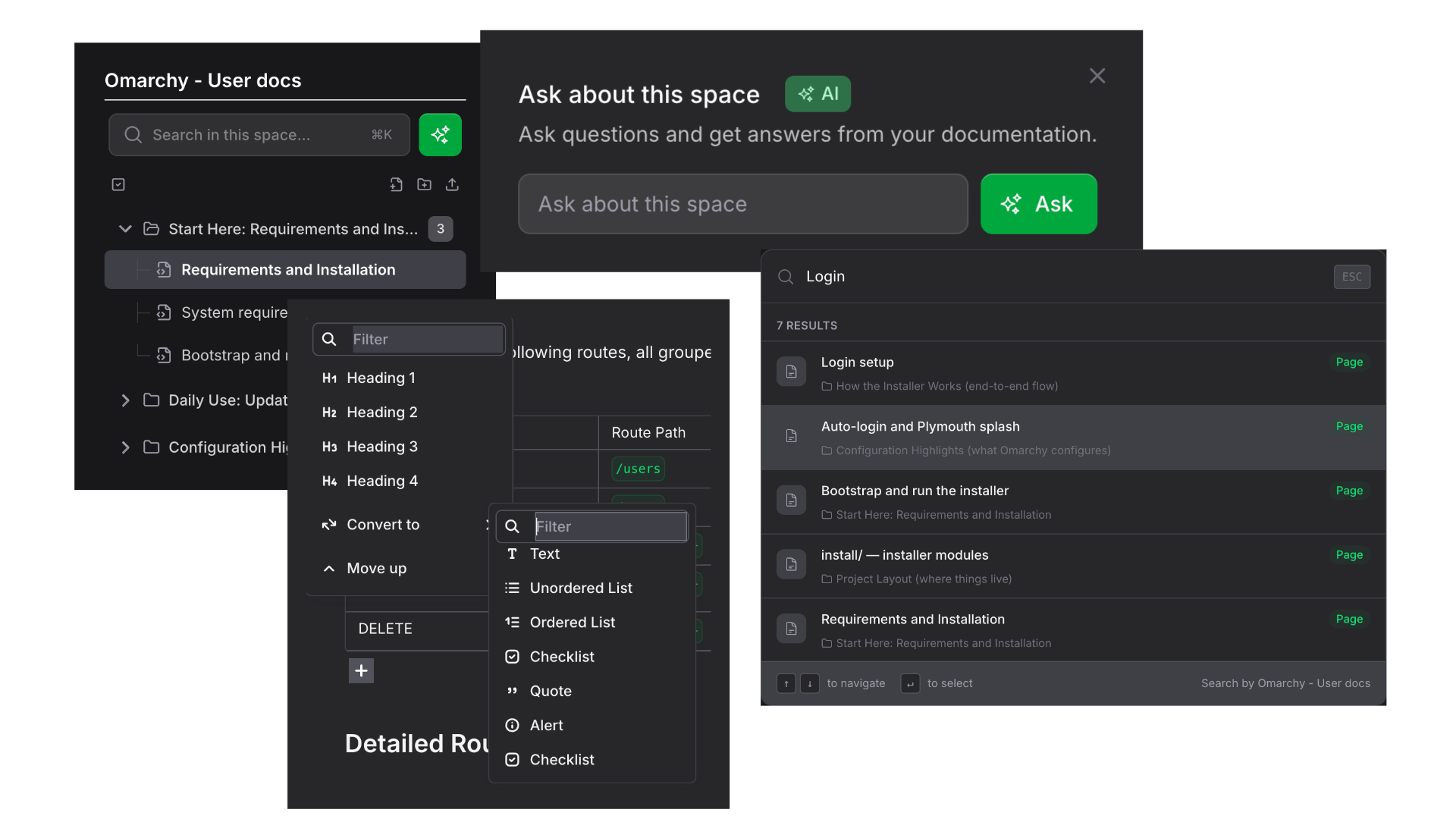
Technical documentation software showing knowledge base with component mapping and code documentation
How it works

Get started in 3 simple steps

1

Connect your repository

Link your GitHub, GitLab, or Bitbucket repository. Your code stays private and secure.

2

Generate with AI

Select what you need: code docs, API docs, README, UML diagrams, or tests. AI generates everything in seconds.

3

Organize & publish

Organize in Spaces with your team. Set permissions and share publicly or keep private.

Security

Security & governance

Your code and documentation are protected with enterprise-grade security.

Private by default

All repositories and docs are private unless you choose to share them.

Granular access controls

Control who can view, edit, or admin each Space with role-based permissions.

Activity history

Full audit trail of changes and access for compliance and governance.

Code not stored

Your code is processed and not retained. We don't train AI on your code.

Integrations

Connect your favorite tools

DocuWriter.ai integrates with your existing development workflow.

GitHub GitHub
GitLab GitLab
Bitbucket Bitbucket
VS Code Azure DevOps
n8n n8n
Confluence
Confluence

Plus MCP integration for AI assistants like ChatGPT and Claude, Cursor, etc...

Compare

Why choose DocuWriter.ai over traditional documentation tools?

Traditional Wikis & Manual Tools

  • Manual documentation creation in tools like Confluence
  • No code-aware generation
  • Difficult to keep updated with code changes
  • Limited automation capabilities
  • No UML diagram generation

DocuWriter.ai

  • AI-generated from your codebase
  • Auto-updates with the Autopilot AI Agent
  • UML diagrams included automatically
  • API references generated from your code
  • Knowledge base with AI search
Compare against Confluence
KEEP EVERY CODEBASE DOCUMENTED.

Professional
Billed Yearly

For developers and small teams.

  • 200 AI pages / month
  • 5 Knowledge Spaces
  • Unlimited pages and storage
  • AI Assistants
  • Chat with Codebase New
  • Slack AI Agent
  • Premium Models
  • MCP & API
Get started

Enterprise
Billed Yearly

For growing engineering teams.

  • 500 AI pages / month
  • Unlimited Knowledge Spaces
  • Full codebase documentation Hot
  • Full API documentation Hot
  • Autopilot auto-updates New auto-apply
  • Audit log New
  • Team roles
  • Priority support
  • Everything in Professional
Get started

Unlimited
Billed Yearly

For high-volume documentation.

  • Unlimited AI pages
  • Personalized onboarding
  • Early access
  • Dedicated success manager
  • Dedicated support channel
  • Everything in Enterprise
Get started

Custom Tailored plan

For advanced requirements.

SSO, compliance, or custom integrations. View Trust Center

Contact us

Frequently Asked Questions

Do you support private repositories?

Yes. Repositories and generated docs are private by default with granular permissions.

Which languages and frameworks are supported?

Multiple languages across modern stacks; we parse your codebase and generate docs accordingly.

Can I import existing docs (Markdown, README, Confluence)?

Yes. Import your existing Markdown documentation files; contact us for Confluence imports.

Do you have a free trial?

Yes, you can start for free and upgrade as your team grows.

What is the best technical documentation software?

The best technical documentation software combines AI generation, code-awareness, and collaboration features. DocuWriter.ai stands out with automated code documentation, UML diagrams, and searchable knowledge bases that stay up-to-date with your codebase.

How much does documentation software cost?

DocuWriter.ai starts free with limited documentation generation. Paid plans with team collaboration and advanced features are available at competitive pricing. See our pricing section above for current rates.

Can I automate documentation generation?

Yes. DocuWriter.ai automatically generates documentation from your codebase using AI, including module descriptions, API docs, and UML diagrams. Connect via GitHub, GitLab, or Bitbucket for seamless documentation automation.

What's the difference between documentation tools and knowledge bases?

DocuWriter.ai combines both: it's a documentation tool that generates content from your code AND a knowledge base (Spaces) for organizing, sharing, and searching documentation with your team—all in one platform.

Get started

Create, organize, and publish your documentation